
When people hear the phrase basic computer skills, they often think of something small.
Something simple. Something obvious. Something almost not worth talking about.
But the truth is the opposite.
Basic computer skills are not small skills. They are foundational skills.
They affect how people study, work, communicate, stay organized, solve problems, and move through daily life in a world that becomes more digital every year.
Even people who do not work in technology depend on them. They use computers and digital tools to send emails, attend meetings, fill out forms, create documents, access services, search for information, manage personal files, and handle tasks that are now part of normal life.
And for anyone who wants to build a career in IT, these skills matter even more.
Because it is very hard to grow in technology without feeling comfortable with the basics first.
A lot of beginners think they are behind because they do not understand advanced topics yet. But many times, the real issue is much simpler: nobody taught them the digital foundations clearly.
They were expected to know how to organize files, manage downloads, use email properly, navigate browser tabs, install programs, protect passwords, and solve small problems on their own — without ever having learned those things in a structured way.
That gap creates insecurity.
And insecurity slows everything down.
When someone has a strong base, learning becomes lighter. New tools feel less intimidating. Problems feel more manageable. Confidence grows.
That is why basic computer skills matter so much.
They are not only “IT skills.” They are life skills.
Why These Skills Matter More Than People Realize
There was a time when writing “basic computer skills” on a resume might have sounded like an advantage.
Today, in many places, it does not.
Not because those skills are unimportant – but because they are expected.
Employers often assume that people already know how to send professional emails, create documents, organize files, attend video calls, search online, and use digital tools with some independence.
So the basics are no longer a bonus. They are part of the minimum.
And that makes them even more important.
If something is expected from almost everyone, not having it can become a real disadvantage.
The good news is that these skills can be learned.
Step by step, with practice.
The Basic Computer Skills Every Beginner Should Build

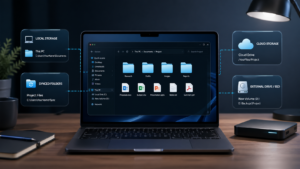
1. File and folder organization
This is one of the most useful digital habits anyone can develop.
People should know how to create folders, rename files, move documents, understand where downloads go, save files in the right place, and find them again later.
It may sound simple, but disorganization on a computer creates wasted time, stress, and confusion very quickly.
2. Email basics
Email is still one of the most important tools in professional and academic life.
A beginner should know how to send and reply to emails, write clear subject lines, attach files, organize the inbox, and recognize suspicious messages.
Good email habits make a real difference.
3. Internet and browser skills
Using the internet every day is not the same as using it well.
People should understand how to manage tabs, use bookmarks, search more efficiently, evaluate links, download files carefully, and recognize whether a website looks safe.
These are everyday skills now.
4. Basic word processing
Knowing how to create and edit a document is essential.
That includes typing, formatting text, creating lists, using headings, copying and pasting properly, saving documents, and exporting files when needed.
This matters for work, study, resumes, reports, and personal organization.
5. Spreadsheet basics
Not everyone needs advanced spreadsheet knowledge right away, but a basic level is extremely useful.
Opening a spreadsheet, entering data, adjusting columns, reading tables, sorting information, and understanding very simple formulas already helps a lot.
6. Operating system basics
People should feel comfortable moving around their computer.
That means understanding the desktop, settings, taskbar, programs, storage space, updates, and the difference between installing and uninstalling software.
For many beginners, this is one of the areas that improves confidence the fastest.
7. Password and account management
Modern life depends on digital accounts.
People need to know how to create stronger passwords, avoid reusing weak ones, store them safely, protect personal information, and use extra security measures whenever possible.
This is not advanced knowledge. It is basic digital protection.
8. Online communication tools
Video calls, chats, and collaboration platforms are now part of work, study, and even personal life.
Joining a meeting, muting and unmuting, understanding meeting links, using chat properly, and sharing a screen are all part of basic digital fluency today.
9. Basic troubleshooting
Not every issue requires immediate technical support.
Knowing how to restart a device, reopen a program, check the internet connection, read an error message, or search for a solution can save time and reduce panic.
Problem-solving starts with small habits.
10. Digital safety awareness
Everyone should have a basic sense of online safety.
That includes being careful with suspicious links, recognizing phishing attempts, avoiding unsafe downloads, updating devices, and paying attention to privacy and account security.
This matters for everyone – not just for people in IT.
A Strong Foundation Makes Everything Easier
Some people ignore these topics because they seem too basic.
But that is exactly the point.
The things that look simple are often the things that support everything else.
When basic computer skills are weak, advanced learning becomes harder. When the basics are strong, growth becomes easier.
That is true for work, study, and daily life. And it is especially true in technology.
No one needs to master everything at once. The important thing is to start building confidence in the right order.
Learn the basics well, and the next level becomes much more accessible.
That is how real progress happens.
In the next post of this series, we will continue building that foundation step by step.